Accessibility Tools

Skip to main content

Migration Made for You: Quadient vs OpenText Comparison. Which CCM Does More for Your Business?

You might assume that CMM migration begins the moment it appears in a company strategy document. More often, however, it begins with a problem that has been accumulating for 2 or 3 years, and one event that finally makes it impossible to defer.

Sometimes it’s a vendor end-of-life notice that arrives on an otherwise ordinary Tuesday. In other cases, a compliance audit suddenly reframes the platform as a risk rather than an asset. Or a key developer who understood the original implementation leaves, and the team realises nobody can fully explain how the system actually works anymore.

At that point, the discussion changes quickly. The question is no longer whether migration should happen, but which direction makes sense, and how to justify that decision when leadership inevitably asks why this path was chosen.

If this kind of situation is approaching, you’re likely carrying a second question alongside the strategic one: what does the actual migration process look like for Customer Communications, and how do you keep it from becoming a multi-year disruption? We’ve written a practical guide on the six steps that ease legacy CCM replacement that’s worth reading alongside this one.

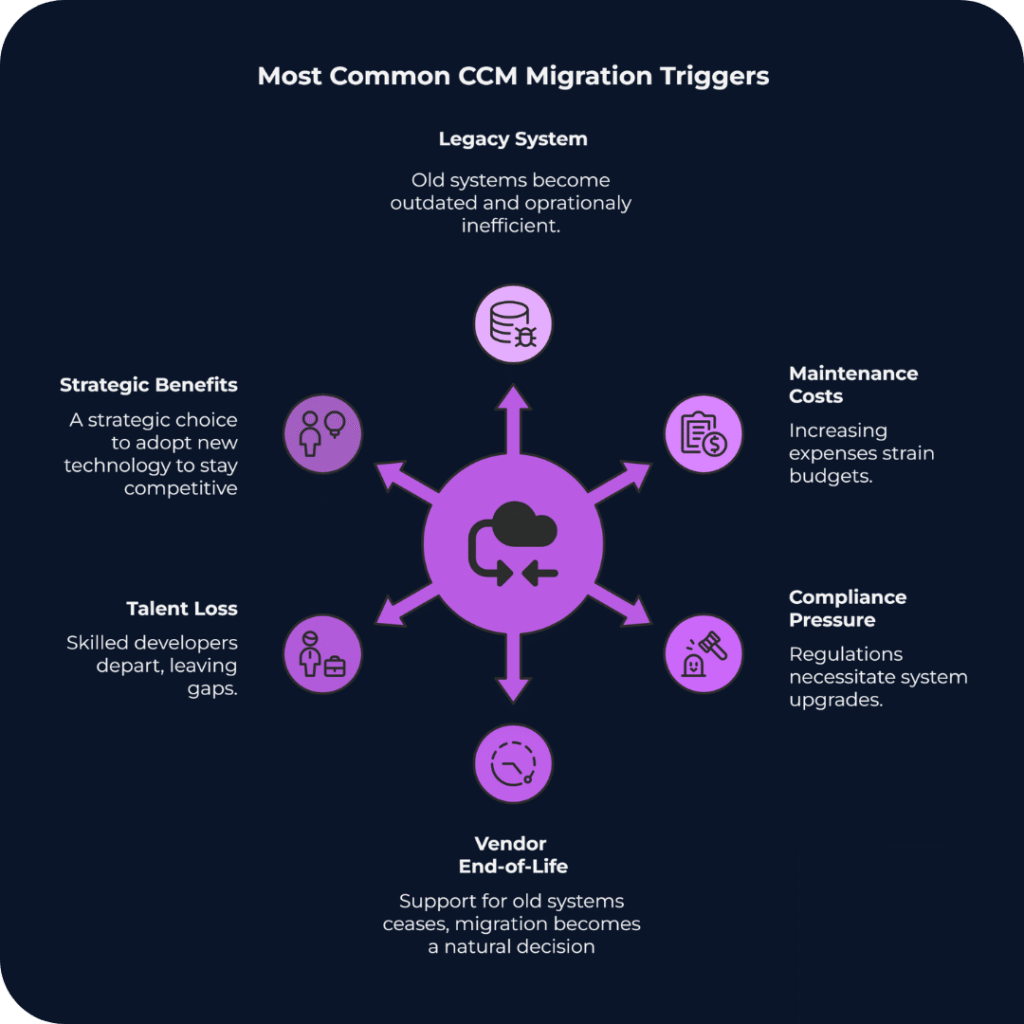
Infographic titled “Most Common CCM Migration Triggers.” In the center is a purple circular icon representing system migration, with arrows pointing outward to six surrounding causes. The causes listed around the circle are: Legacy System (outdated and inefficient infrastructure), Maintenance Costs (rising operational expenses), Compliance Pressure (regulatory requirements forcing upgrades), Vendor End-of-Life (support for the platform ending), Talent Loss (specialist developers leaving the organisation), and Strategic Benefits (adopting new technology to stay competitive). The graphic illustrates that organisations typically migrate customer communications management systems when several operational, financial, and regulatory pressures converge.

Scenario 1: The IT-Centric Bank and the OpenText Path

Take a mid-size European bank processing tens of millions of customer communications annually, operating on CCM infrastructure that has been running on-premise for 15 years without a major change. Statements, policy notices, regulatory disclosures, all generated by a system that nobody is quite sure how to upgrade without breaking something important.

The IT Director has been making the case for modernisation for 3 years. Every year the argument gets stronger. Every year the budget committee asks the same question: but is it urgent? Then the vendor end-of-life announcement lands, and that question stops being useful.

Why OpenText Makes Sense Here

For organisations where the primary CCM concern is governance, not speed or omnichannel agility but audit trails and deep integration with established archive systems, OpenText Exstream has a logic that is difficult to argue against.

The platform is built from HP Exstream, StreamServe, and xPression. That history gives it a functional breadth that few platforms match in high-volume batch environments. Nightly runs of 50 million personalised statements are well within what the architecture handles without drama.

OpenText also integrates tightly with its own portfolio. InfoArchive handles long-term record management, and there are dedicated accelerators for Guidewire and Duck Creek that reduce the data mapping work during implementation. For an organisation already running OpenText for Enterprise Content Management, that existing footprint makes the extension to CCM genuinely lower-friction than starting from scratch.

What the Teams Actually Talk About

In our experience working with banks through this process, the conversation at the architecture level rarely focuses on features. It focuses on:

  • Who owns the complexity after go-live?
  • How the platform behaves during the first major upgrade cycle?
  • What happens if the one certified Exstream specialist on the team decides to leave?

These are reasonable concerns. OpenText requires specialised expertise that is genuinely difficult to hire and retain, and upgrade timelines from legacy versions to the current Cloud Native architecture consistently land in the 12 to 24 month range. In practice it runs closer to 2 implementations in parallel, with the business continuing on the old system throughout.

For an organisation with deep regulatory requirements, an existing OpenText footprint, and the internal capacity to absorb that complexity, the trade-off works. Full implementations typically start at $1M and climb quickly once professional services, migration effort, and internal resourcing are factored in. For organisations without those three things, the difficulty tends to compound over time rather than resolve.

Scenario 2: The Insurer That Needs to Move, Not Just Survive

A European insurer, mid-market in size, that has spent 2 years watching its customer communications fall behind what its digital transformation roadmap was supposed to deliver. The marketing team wants personalisation at scale. Legal needs to update disclaimers faster than the current template pipeline allows. The digital team cannot integrate the mobile app because the legacy CCM engine does not expose reliable APIs.

The platform has run reliably for years, but the pace at which the business now needs to change what it sends, to whom, and through which channel has outgrown what the infrastructure was built for.

What Quadient Inspire Looks Like from the Inside

Across the CCM implementations we work on, Quadient Inspire comes up most consistently in organisations where the core question is not how to preserve existing infrastructure but how to replace it without stopping the business in the process.

The AnyPrem architecture is worth understanding specifically. A template built in Inspire Designer runs on-premise, in a private cloud, or in a public cloud environment without modification. For insurers managing hybrid cloud transitions under GDPR data residency requirements, that portability removes a class of risk that would otherwise need its own workstream.

The unified design environment has a practical impact that takes a few months to show up in the numbers. Managing Print, Email, Mobile, and Web outputs from a single template file rather than six separate variants means less maintenance overhead, fewer consistency errors, and shorter regulatory review cycles when a disclaimer needs updating.

Quadient holds 11% of the global CCM market, the largest individual share according to IDC. Organisations in financial services and insurance select it repeatedly over a long period, which tends to say more about operational reliability than any benchmark does.

The staffing profile is meaningfully different from OpenText. Quadient’s hiring pool is broader, and Quadient University, the vendor’s online training and certification platform, means new team members can reach productive output without relying on whoever built the original implementation. That dependency is a real operational risk, and one most organisations only recognise after someone leaves.

The Cost That Derails Most Migration Budgets

Template migration is consistently where CCM project budgets get revised upward, and where the original timeline estimate stops being credible.

A mid-size insurer accumulates thousands of document templates over a decade. Some are in active use, many are dormant but legally required, and some are genuinely critical and documented only in the memory of someone who retired in 2019. Manual template migration is slow and expensive, and it reliably surfaces legacy decisions that nobody remembered making.

In one recent project we supported, migrating from DOPiX to Quadient Inspire, the largest effort was not the platform installation but analysing and restructuring hundreds of legacy templates accumulated over more than a decade.

Quadient’s InspireXpress tool uses AI to auto-convert legacy templates from competing platforms. It does not eliminate human review for complex logic, but it substantially reduces the professional services hours needed in the early migration phases. For a project where the budget estimate is already moving, that reduction matters.

Focused Quadient implementations for a defined line of business typically take 3 to 6 months. Full enterprise rollouts run 6 to 18 months. The modular licensing structure means organisations can start with specific components, typically from around $500K annually, and expand as requirements grow, rather than committing to full enterprise capacity upfront.

Why the Right Answer Is an Operations Question, Not CCM’s Features List

The comparison between OpenText and Quadient tends to get treated as a feature question. The organisations that make it well treat it as a staffing and operations question as much as anything else.

OpenText Exstream makes sense for organisations where governance is the primary driver: audit trails, archival integrity, and tight integration with an existing OpenText content management stack. For Global Systemically Important Banks (G-SIBs) or large government agencies processing hundreds of millions of pages annually, the operational complexity is the cost of the control, and for those organisations it is a cost worth paying.

Quadient Inspire suits organisations where the constraint is speed: how quickly can a regulatory disclaimer be updated, how much does a routine template change depend on a specialist developer, how reliably can the mobile app trigger a document in real time. The modular pricing keeps the initial commitment lower, and AnyPrem means the cloud transition happens at a pace the organisation controls rather than the vendor’s.

The choice between them depends heavily on what the organisation can realistically sustain over a 3 to 5 year horizon, including staffing, upgrade cycles, and internal appetite for infrastructure complexity. Getting that assessment wrong in either direction tends to be expensive.

CriterionOpenText ExstreamQuadient Inspire
Primary mandateGovernance and archival integrityBuilt for organisations where the audit trail and record management are non-negotiableSpeed and digital channel agilityBuilt for organisations where the pace of change in communications is the primary constraint.
Best fitG-SIBs, government agencies, existing OpenText ECM stackRetail banks, insurers, mid-cloud transition
TCO entry point$1M+From $500K, modular
Implementation timeline12–24 months3–6 months (LoB) / 6–18 months (enterprise)
StaffingRequires certified OpenText specialists. The talent pool is narrow, and knowledge loss when a key person leaves is a documented operational risk.Broader hiring pool. New team members reach productive output faster, and Quadient University provides structured self-service training.
Cloud modelCloud Native (re-platforming)AnyPrem (no refactoring)

How to Build a Migration Case That Survives the Finance Committee

If you are determining whether migration is necessary rather than how to execute it, the architecture is rarely where the resistance comes from. Organisations resist migration because the existing system works, and changing something that works requires a level of justification that maintaining it never does.

A migration case built on “better features” tends not to survive contact with the finance committee. One built on EAA compliance deadlines, vendor end-of-life announcements, or documented scalability failures tends to hold. The difference is that the second set of arguments is about risk that is already present and growing.

The teams that navigate this well distribute the decision across IT, compliance, and finance rather than carrying it personally. They run a pilot before asking for full commitment. They document the external drivers clearly enough that the rationale survives leadership changes.

The trigger event, whether it is an audit finding, a vendor notice, or an outage, is rarely the moment the decision gets made. It is usually the moment the cost of waiting becomes visible to everyone at once.

What a Realistic First Step Looks Like

In banking and insurance, the organisations that move through this process with least disruption tend to start with a narrow scope: one line of business, one document type, one channel. A working pilot changes the internal conversation faster than any business case document, and the migration expands from there at a pace the organisation can absorb.

The projects we support in this space run on Quadient Inspire. The modular structure fits the phased approach well, and the AnyPrem deployment means the organisation does not have to resolve its cloud strategy before starting. If you are currently assessing whether your legacy CCM infrastructure warrants migration, or building a case to present internally, we can share what that process has looked like for similar organisations.

Comparing TOP Customer Communication Management Systems. How to Choose a Modern CCM Platform That Actually Fits?

In our previous blog we discussed how legacy systems are slowing down modern business managers and here you are: realised the price for sticking to outdated systems and now it’s time to choose an efficient and clear CCM system. In this top CCM systems comparison, we’ll help you understand how to confidently choose the right modern communication platform that actually fits your business, without falling into the same traps that legacy systems create.

When you’re ready to migrate away from a legacy Customer Communication Management (CCM) platform, one thing becomes clear fast: there’s no shortage of options. From cloud-native innovators like Quadient or Smart Communications to heavyweight platforms like OpenText and Papyrus, each solution promises to improve efficiency, compliance and customer experience.

But picking the right CCM platform doesn’t merely include ticking off technical features. It’s also a strategic decision that shapes your agility, customer satisfaction and compliance readiness. This all factors will dictate you success for internal and external communications.

Here’s how to make that decision confidently.

Why Migrate at All – Fast Break Through

Just to refresh the information from the previous blog post, here is a brief review.

Legacy CCM systems are holding many businesses back. They’re often rigid, expensive to maintain, risky for long-play company development and difficult to adapt to new accessibility or data privacy laws. They also limit customer experience improvements – something today’s buyers increasingly expect.

Why it matters:

What to Look for in a Modern CCM Platform

When evaluating platforms, it helps to go beyond the product brochure and ask: What will this look like in action in our business, with our processes and compliance requirements?

Here are six essential criteria:

1. The right deployment model for your business

Cloud-native CCM platforms are growing rapidly due to their scalability, fast deployment and lower IT overhead. However, the right choice depends on your organisations’ reality. Highly regulated industries or businesses with complex legacy systems may still benefit from on-premise or hybrid deployments. 

🧠 Our tip: Look for platforms that offer deployment flexibility without sacrificing modern capabilities like API access or low-code tooling. 

2. Omnichannel communication delivery

Modern customers expect a seamless experience whether they’re interacting via email, app, post, or portal. A good CCM platform enables you to design communications once and deliver them across all relevant channels, without duplicating work or causing formatting issues.

🧠 Our tip: Look for native support for print, web, SMS and mobile–plus responsive preview tools to test each format before sending. 

3. Ease of integration with existing systems

Your CCM solution doesn’t operate in a vacuum. It needs to connect with your CRMs, ERPs, archiving systems and sometimes even bespoke internal tools. Seamless integrations speed up implementation, reduce human error and help futureproof your stack.

🧠 Our tip: Prioritise platforms with pre-built connectors and open APIs, especially if you’re working in a multi-vendor IT environment.

4. Compliance & accessibility readiness

The compliance bar is rising. From GDPR to the European Accessibility Act (EAA), your customer communications must be secure, traceable and usable by everyone including users with disabilities.

🧠 Our tip: Ask vendors whether their platform supports:

  • Accessible document templates
  • Real-time audit trails
  • Role-based controls
  • Automated compliance checks

If you want to go deeper, it’s worth understanding what accessibility-ready document templates require and why seemingly small mistakes in structure or tagging can break compliance entirely. We also see many organisations repeating the same issues during implementation, which is why recognising common document accessibility mistakes organisations still make can save months of rework, audit risk, and unnecessary remediation costs later on.

This difference becomes visible in real projects. In one of our recent cases focused on EAA-ready document communications for a Polish bank, moving to a modern CCM setup meant rethinking document logic, templates, and approval workflows so they could scale and evolve over time. Compliance and accessibility were treated as integral parts of the CCM architecture, not as add-ons. This allowed the bank to standardise communications, maintain full auditability, and give business teams greater control, all without increasing operational complexity.

5. User experience for both your teams and end customers

It’s not enough for a platform to be powerful. It must also be usable by your content creators, legal reviewers, CX managers and other business stakeholders. A modern CCM tool should empower cross-functional teams, not bottleneck them behind IT. 

🧠 Our tip: Look for role-based interfaces, drag-and-drop templates and approval workflows that allow collaboration without code. 

6. Vendor partnership & long-term fit

Technology is only a part of the equation. Migration support, training, roadmap transparency and service responsiveness all play a role in the success of your new CCM platform. 

🧠 Our tip: Ask about post-sale support, local partner networks and how each vendor supports clients as business and compliance needs evolve.

Choosing the Best CCM System for Regulated Industries

Disclaimer: This top CCM systems comparison highlights that there is no one-size-fits-all solution. There’s no universally “best” CCM platform. Only the most suitable combination of tools, tactics, and collaboration conditions tailored to your organisation’s needs.

Below, we’ve summarised four of the most widely adopted platforms in the CCM space. Each one has unique strengths, deployment models and ideal use cases.

Quadient Inspire

Quadient offers a strong balance between user-friendliness and enterprise-grade power.
For leadership teams, Quadient Inspire often signals a high-performing, long-term investment in communication architecture. It’s modular, highly customisable and integrates with a wide variety of systems.

CTOs and CIOs tend to appreciate its scalability and robust architecture, especially for organisations undergoing transformation or with plans to consolidate multi-channel communication systems.
It’s particularly well-suited for marketing-driven organisations thanks to its intuitive omnichannel composition tools, real-time previews and role-based interface that empowers business users without relying heavily on IT. It supports cloud-native and hybrid deployments, integrates seamlessly with CRMs like Salesforce and Microsoft Dynamics. In practice, this kind of integration makes a material difference: in one of our PaaS projects for a Dutch insurance company, Quadient Inspire was deployed across print and digital channels with existing CRM logic intact with working at scale. For the organisation, this meant faster rollout of new communication use cases, lower integration risk, and a more predictable operating model as volumes and channels grew. For Product Owners, it translated into shorter change cycles, better visibility into template behaviour, and the ability to adjust content and logic without waiting for heavy IT involvement — all while keeping governance and compliance under control.

However, that power comes with a trade-off. The platform rewards those willing to develop or partner with skilled Quadient experts, turning what seems like complexity into a long-term differentiator. In this way, the early investment becomes a launchpad for sustained independence and strategic agility, which could serve for decades.

From a compliance perspective, Quadient Inspire is a solid bet. It offers granular control over messaging logic, audit trails and versioning, making it suitable for regulated industries such as banking and insurance. Legal teams often find comfort in its ability to document every step of a communication journey. Accessibility and auditability are built into its cloud capabilities, making it a right choice for organisations looking to futureproof compliance and UX.

The end user (i.e., your customer) usually never sees the complexity under the hood. What they do see, if Inspire is well implemented, is a hyper-personalised, consistent and timely communication experience across print, digital and mobile. That’s a major competitive advantage.

OpenText

OpenText is often the default choice for institutions already embedded in the OpenText enterprise ecosystem which was widely adopted in the early 2000s to mid-2010s. It’s a heavyweight in the enterprise CCM space.

It appeals to leadership with its legacy of trust and stability, especially in large document-centric environments. CFOs often like the idea of extending existing OpenText investments rather than introducing a new vendor. Known for its robustness and deep legacy system support, it’s often the platform of choice for large organisations operating in highly regulated industries like insurance, utilities, or public sector. Its support for on-prem and hybrid deployments makes it appealing to businesses with strict infrastructure requirements.

Operationally, however, OpenText can be more rigid. Teams working within Exstream environments often report that configuration and development are IT-heavy, with limited room for rapid iteration by business teams. This creates a bottleneck when it comes to deploying and testing new communication strategies. Developers and analysts accustomed to agile, cloud-native environments may find OpenText slower and less flexible.

From a compliance perspective, OpenText holds up well, having been used across government and heavily regulated sectors for decades. Its DMS-centric infrastructure supports document retention, permissions and role-based controls in ways that appeal to risk-conscious legal and compliance departments.

The downside, especially from a user-experience and customer communications standpoint, is that modernisation can lag. End customers may experience templated, static, or overly formal communications unless effort is made to layer on modern UX flows.

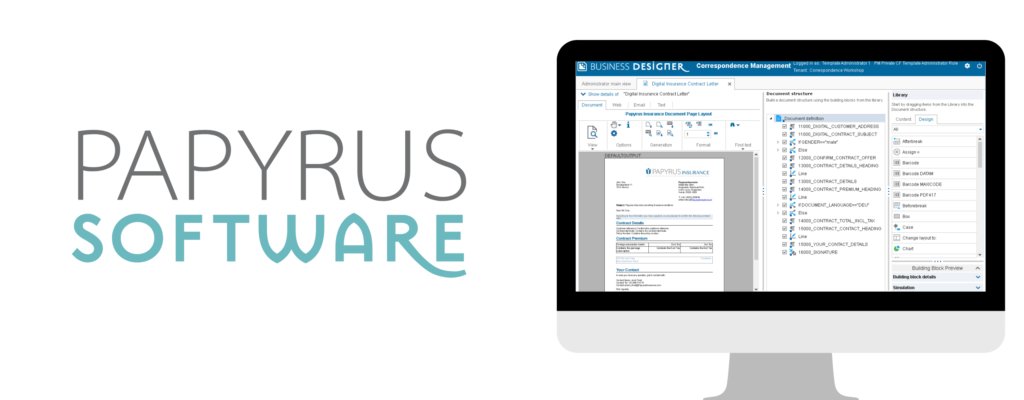
ISIS Papyrus

Papyrus is built for control and customisation – they are unique in this approach. It’s a long-standing favorite in financial services, thanks to its strong governance features and configurable rule engines. The platform offers both on-prem and hybrid options, making it viable for compliance-focused environments. It’s less plug-and-play than others, typically requiring stronger in-house IT capabilities or external consultancy – but for organisations that value full control, the payoff can be substantial.

Papyrus offers a vertically integrated platform that combines process automation, document management, case handling and communications. For leadership and enterprise architects, this is attractive because it minimises the number of vendors and integration points. Everything stays under one roof.

But this “all-in-one” strength is also a limitation. Unlike modular platforms, Papyrus expects the organisation to adapt to its internal logic. This can create friction for teams used to flexibility or those wanting to plug in best-in-class solutions for analytics, templates, or content authoring.

Operational teams often find the Papyrus environment powerful but dense. Its steep learning curve and limited global user community make training and onboarding slower, especially for non-technical users. Developers will need to invest time to gain fluency in the system and business analysts will likely rely heavily on IT for changes. But would this learning time contribution worth ROI?

For compliance, Papyrus is a strong contender. Its end-to-end control of the communication lifecycle makes it well-suited for organisations with strict governance and risk standards. The ability to track and automate decisions across workflows is appealing to both legal and audit stakeholders.

Where it may fall short is in user experience. Communications generated through Papyrus can feel procedural and rigid. Without deliberate effort to improve design and personalisation, end users might find interactions cold or bureaucratic—appropriate for some sectors but problematic for customer-centric brands.

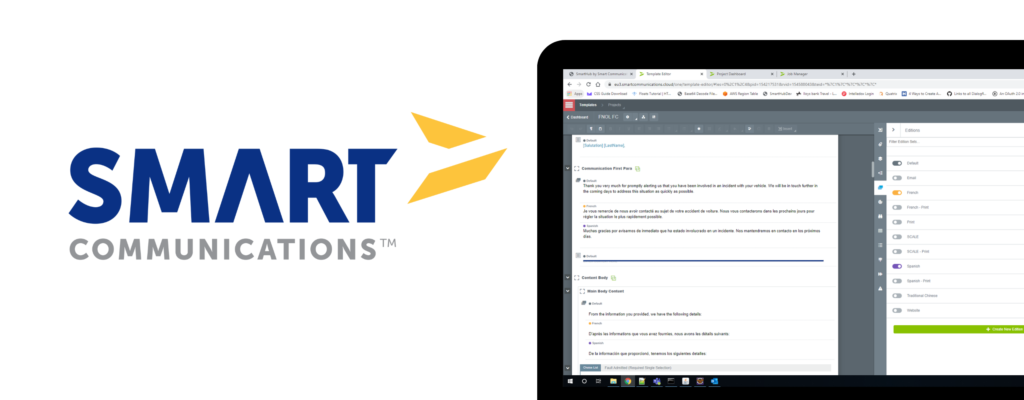
Smart Communications

Smart Communications has carved its space by offering a cloud-native, API-first platform built with business users in mind. For leadership teams focused on agility, customer centricity and fast deployment, Smart delivers a compelling message. It removes much of the technical debt associated with traditional CCM implementations and is favored by organisations undergoing digital transformation.

From an operations and executive point of view, Smart is empowering. Business teams can create, test and deploy communications with minimal IT involvement. Analysts appreciate the real-time feedback loops and experimentation capabilities baked into the platform. Developers can focus on integrating backend logic while marketing and CX teams optimise messaging on the front lines.

Compliance teams will appreciate Smart’s modern cloud certifications, GDPR-ready architecture and policy-driven controls. While it may not have the on-premise legacy compliance layers of OpenText or ISYS Papyrus, its transparency and structured governance capabilities align well with evolving digital-first regulatory frameworks.

Most importantly, Smart Communications shines at the end-user level. It delivers clean, mobile-first and channel-consistent interactions that meet customers where they are—email, apps, chat, or print. Its omnichannel consistency, combined with tools for A/B testing and personalisation, helps companies communicate more like agile digital-native brands and less like legacy enterprises.

However, this cloud agility comes with a trade-off: Smart isn’t built for deep backend complexity or legacy system entanglement. The platform may struggle with highly customised document logic, real-time transaction processing at enterprise scale, or legacy data dependencies. The consequence of this limitation can cascade throughout the organisation. Strategically, leadership may find that while Smart accelerates time-to-value for customer touchpoints, it may not scale easily across all business-critical communication domains, especially those tied to regulated documents or high-volume transactional outputs. This can lead to fragmented ecosystems, where Smart handles digital comms while legacy systems still shoulder core workloads, undermining efforts to consolidate platforms and reduce complexity.

Prefer a quick side-by-side view?

Here’s a snapshot of the four platforms compared on deployment model, core strengths and business fit, to help you zoom in on the one that aligns with your goals.

PlatformDeployment OptionsTop StrengthsTop WeaknessesIdeal For
Quadient InspireOn-premises, hybrid and cloudUX-focused, omnichannel tools, strong integrationsSteep learning curve on the beginning, could require expert setupMarketing-driven orgs and mid-sized businesses looking to scale CX
OpenText On-premises and hybridEnterprise-grade, legacy integration, regulatory trustSlower modernisation pace; heavy IT dependency; limited agility for digital-first use casesLarge, complex organisations with legacy-heavy infrastructure
PapyrusOn-premises and hybridCustomisable, strong governance, used in financeSteep learning curve; rigid architecture; low flexibility with third-party toolsRegulated industries with strong IT capacity and need for full control
Smart Communications (SmartCOMM) Cloud-nativeAgile, accessible, API-firstLimited backend depth; challenges with legacy system replacement; potential governance fragmentation at scaleFast-growing companies prioritising flexibility, speed and CX innovation

The 3 Questions to Ask Before You Decide

Before you lock into a platform, ask yourself and your team:

  1. What organisational bottleneck do we actually want CCM to remove? Most CCM initiatives start with technology, but they should start with friction. Is your biggest issue slow time-to-market for new communications? Heavy IT dependency for simple changes? Fragmented ownership between business, legal, and operations? Or rising compliance risk driven by manual fixes and workarounds?
  2. Who will own communications once the platform is live — and how much autonomy do they need? A modern CCM platform reshapes internal responsibilities. The real question isn’t whether a system is powerful, but who can safely use that power.
  3. How realistically can we migrate — and what must not break along the way? Migration is where CCM decisions become real. The key question isn’t if you can move off a legacy platform, but how much risk you’re willing to accept during the transition. What documents must remain identical? Which integrations cannot be disrupted? And how much parallel running can your organisation afford?
    We see this challenge clearly in practice. In a migration from a legacy DOPiX system to Quadient Inspire, the priority isn’t just moving templates – but about preserving output consistency, auditability, and business continuity while modernising the underlying logic and workflows. That approach allows the organisation to transition without disrupting regulated communications. See the full legacy system migration from DOPiX to Quadient Inspire case for how this was handled in practice.

Your CCM Should Grow With You

Modernising your CCM platform isn’t merely an infrastructure upgrade, it’s also a competitive strategy. Whether your focus is regulatory readiness, customer experience, or operational efficiency, the right platform should meet today’s needs while setting you up for tomorrow’s growth.

At Quertum, we work with organisations navigating these exact decisions. If you’re planning a CCM migration or exploring your options, we’re here to help guide the process, strategically and practically. The right platform won’t just solve today’s pain points, it should be a growth enabler, not a future constraint.

Explore our migration services or get in touch – we’d love to help solve your communication challenges.